
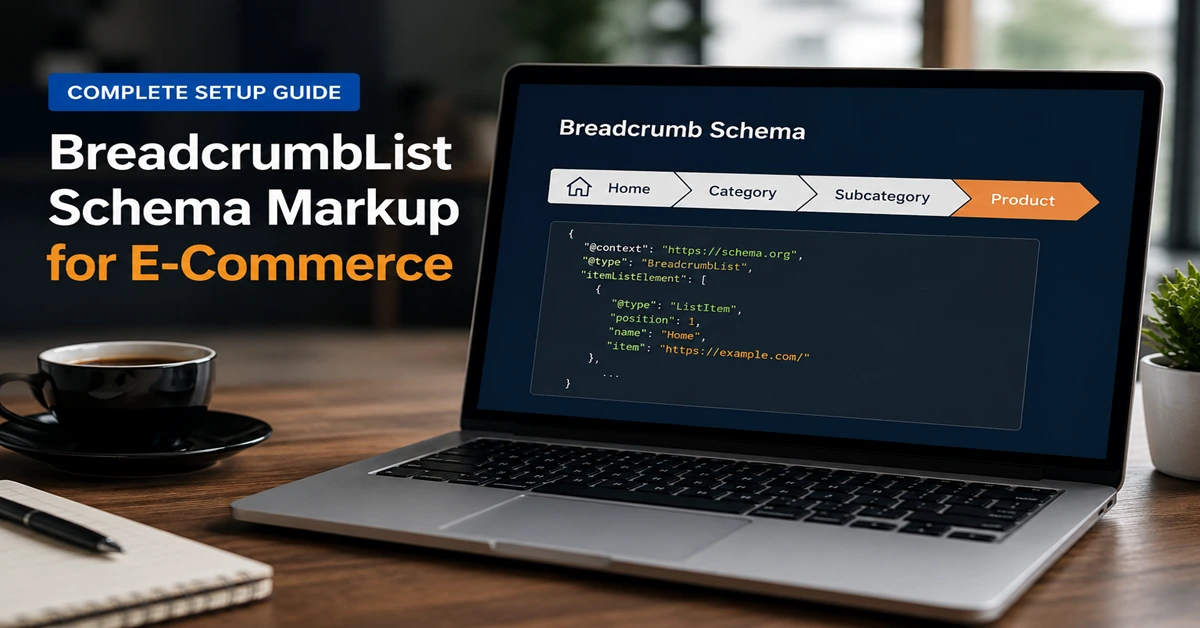
Open Google and search for any Indian fashion brand. Some listings show a raw URL that looks like /p=12847?color=red&size=L. Others show Home > Women > Ethnic Wear > Anarkali Suits. Both lead to the same page. But one looks trustworthy and navigable. The other looks like a database error.
That difference is BreadcrumbList schema markup. It is one of the simplest and most consistently overlooked schema implementations available to Indian e-commerce brands, and it takes less than an afternoon to get live across your entire website.
What is BreadcrumbList Schema Markup?
BreadcrumbList schema is structured JSON-LD data that defines the navigational hierarchy of your website. It tells Google the exact path from your homepage to any given page through all category and subcategory levels in between.
Without it, Google has to guess your site structure from URL patterns and internal linking. With it, you tell Google directly: this product page sits under Men, which is under Footwear, which is under the homepage. No guessing.
| Without BreadcrumbList schema | With BreadcrumbList schema |
| https://yourstore.in/cat/womens/ethnic/anarkali-suit-12345 | Home > Women > Ethnic Wear > Anarkali Suits |
| https://yourstore.in/p=9823?var=blue&sz=42 | Home > Men > Footwear > Canvas Sneakers |
| https://yourstore.in/electronics/mob/android/poco-m6-8gb | Home > Electronics > Mobiles > Android Phones |
| Why this matters: Indian e-commerce sites tend to have deep URL structures. Without BreadcrumbList schema, long messy URLs appear in search results and reduce perceived quality. Clean breadcrumb paths look professional and signal good site organisation to both users and Google. |
Why Indian E-Commerce Websites Need BreadcrumbList Schema
- 25% higher CTR. Clean breadcrumb paths in search results increase click-through rates vs raw URLs by 25% on average.
- Deeper page indexing. Google indexes product pages more confidently when BreadcrumbList schema explicitly confirms they belong to a coherent, navigable hierarchy.
- Better authority distribution. Correct parent-child relationships in breadcrumb schema help Google distribute ranking authority from top-level categories down to subcategory and product pages.
- AI search visibility. 73% of pages cited in Google AI Overviews include schema markup. BreadcrumbList contributes to the entity-rich structured data profile that AI systems prefer to cite.
- Sitelinks eligibility. Consistent BreadcrumbList schema is one of the structural signals that supports sitelinks appearing for branded search queries.
BreadcrumbList Schema Properties
| Property | Status | What it communicates |
| @type: BreadcrumbList | Required | Declares this as a BreadcrumbList entity |
| itemListElement | Required | The ordered array of ListItem breadcrumb levels |
| position (per item) | Required | Numeric position in the trail: 1, 2, 3… |
| name (per item) | Required | The human-readable breadcrumb label shown in search |
| item (per item) | Required for all except last | Absolute URL of this breadcrumb level |
Complete JSON-LD Code Examples
Example 1: Simple 3-level breadcrumb (category and product)
| <script type=”application/ld+json”> { “@context”: “https://schema.org”, “@type”: “BreadcrumbList”, “itemListElement”: [ {“@type”:”ListItem”,”position”:1,”name”:”Home”,”item”:”https://yourstore.in/”}, {“@type”:”ListItem”,”position”:2,”name”:”Sarees”,”item”:”https://yourstore.in/sarees/”}, {“@type”:”ListItem”,”position”:3,”name”:”Banarasi Silk Saree – Golden Border”, “item”:”https://yourstore.in/sarees/banarasi-silk-saree-golden-border/”} ] } </script> |
Example 2: Deep 5-level breadcrumb (Indian fashion store)
| <script type=”application/ld+json”> { “@context”: “https://schema.org”, “@type”: “BreadcrumbList”, “itemListElement”: [ {“@type”:”ListItem”,”position”:1,”name”:”Home”,”item”:”https://yourstore.in/”}, {“@type”:”ListItem”,”position”:2,”name”:”Women”,”item”:”https://yourstore.in/women/”}, {“@type”:”ListItem”,”position”:3,”name”:”Ethnic Wear”,”item”:”https://yourstore.in/women/ethnic-wear/”}, {“@type”:”ListItem”,”position”:4,”name”:”Anarkali Suits”,”item”:”https://yourstore.in/women/ethnic-wear/anarkali-suits/”}, {“@type”:”ListItem”,”position”:5,”name”:”Embroidered Anarkali Suit – Blue”, “item”:”https://yourstore.in/women/ethnic-wear/anarkali-suits/embroidered-anarkali-blue/”} ] } </script> |
Example 3: BreadcrumbList combined with Product schema (recommended)
Product schema in one script block is perfectly valid and recommended. Both schema types work simultaneously.
| <script type=”application/ld+json”> [ { “@context”:”https://schema.org”,”@type”:”BreadcrumbList”, “itemListElement”:[ {“@type”:”ListItem”,”position”:1,”name”:”Home”,”item”:”https://yourstore.in/”}, {“@type”:”ListItem”,”position”:2,”name”:”Men”,”item”:”https://yourstore.in/men/”}, {“@type”:”ListItem”,”position”:3,”name”:”Footwear”,”item”:”https://yourstore.in/men/footwear/”}, {“@type”:”ListItem”,”position”:4,”name”:”Canvas Sneakers”,”item”:”https://yourstore.in/men/footwear/canvas-sneakers-blue-42/”} ] }, { “@context”:”https://schema.org”,”@type”:”Product”, “name”:”Canvas Sneakers – Blue – Size 42″, “brand”:{“@type”:”Brand”,”name”:”YourBrand”}, “offers”:{“@type”:”Offer”,”price”:”1299″,”priceCurrency”:”INR”,”availability”:”https://schema.org/InStock”} } ] </script> |
Platform-Specific Implementation
WooCommerce with Rank Math
Rank Math SEO free tier automatically generates BreadcrumbList schema from your WooCommerce category hierarchy. Go to Rank Math > General Settings > Breadcrumbs and enable it. Then go to Rank Math > Titles and Meta > Products and verify BreadcrumbList is active.
For products assigned to multiple categories, set a Primary Category using the Rank Math sidebar on each product edit page. This ensures a deterministic single breadcrumb path rather than a random one.
| Rank Math setting | Location | Effect |
| Enable Breadcrumbs | Rank Math > General > Breadcrumbs | Turns on BreadcrumbList schema globally |
| Primary category | Product edit > Rank Math sidebar | Sets canonical breadcrumb path for multi-category products |
| Homepage breadcrumb label | Rank Math > General > Breadcrumbs | Sets the name of position 1 (default: Home) |
Shopify
Most Shopify default themes show breadcrumb navigation in the UI but do not add BreadcrumbList schema JSON-LD automatically. Add this block to your product.liquid template using Liquid variables:
| {% assign bc_url = shop.url | append: “/collections/” | append: collection.handle %} <script type=”application/ld+json”> { “@context”:”https://schema.org”,”@type”:”BreadcrumbList”, “itemListElement”:[ {“@type”:”ListItem”,”position”:1,”name”:”Home”,”item”:”{{ shop.url }}/”}, {“@type”:”ListItem”,”position”:2,”name”:”{{ collection.title }}”,”item”:”{{ bc_url }}”}, {“@type”:”ListItem”,”position”:3,”name”:”{{ product.title }}”,”item”:”{{ shop.url }}{{ product.url }}”} ] } </script> |
For deeper category hierarchies, the Schema Plus for SEO app on the Shopify App Store handles nested collections without manual Liquid coding.
Custom builds
Generate BreadcrumbList server-side by traversing your category tree from the product up to the root. Always use absolute URLs with the full domain. Relative paths like /women/ethnic-wear/ are invalid and will fail the Rich Results Test.
Common BreadcrumbList Mistakes to Avoid
- Using relative URLs. The item property must be an absolute URL. /women/ethnic-wear/ is invalid. https://yourstore.in/women/ethnic-wear/ is correct.
- Starting position at 0. Positions start at 1, not 0. Using 0 causes a validation error.
- Skipping intermediate levels. Do not jump from Home at position 1 directly to a product at position 2 when categories exist in between.
- Schema name not matching visible breadcrumb text. The name in schema must match the breadcrumb text visible on the page.
- Only adding to product pages. Category and subcategory pages also need BreadcrumbList schema reflecting the path to that specific page.
- Duplicate BreadcrumbList blocks. Exactly one BreadcrumbList block per page. Two blocks conflict and Google may ignore both.
How to Test and Monitor
- Google Rich Results Test — Paste your page URL to see if BreadcrumbList is detected and whether any errors exist. Fix all errors before going live.
- Schema Markup Validator — Tests raw JSON-LD against Schema.org vocabulary. Use before deploying to catch property type errors.
- Google Search Console — Navigate to Enhancements > Breadcrumbs for site-wide monitoring. Check monthly for errors after any theme or plugin updates.
After four to six weeks of correct implementation, do a site:yourstore.in search on Google. Listings showing breadcrumb paths instead of raw URLs confirm the schema is working. If raw URLs still appear, use the URL Inspection tool in Search Console to request re-crawling.
Conclusion
BreadcrumbList schema is one of the fastest wins in e-commerce SEO. The visual improvement alone, clean readable category paths replacing raw URLs in search results, justifies the afternoon it takes to implement. The structural benefits for deep page indexing and category authority distribution compound over time.
FAQ Schema Markup for E-Commerce Product Pages which expands your SERP footprint further. Go back to Product Schema Markup and Review and Rating Schema first if you have not already.
Blog Arena 360. If you have hands-on experience with BreadcrumbList schema on an Indian e-commerce site, share it through our Write for Us page.
FAQs about BreadcrumbList Scehma:
BreadcrumbList schema is structured JSON-LD data that tells search engines the navigational hierarchy of your site. It replaces raw URLs in Google results with clean paths like Home > Women > Ethnic Wear > Anarkali Suits.
Not directly. But it improves CTR by 25% on average by replacing messy URLs with readable paths, and it helps Google correctly understand and index your site hierarchy, which indirectly supports rankings.
Yes. Homepage, all category pages, subcategory pages, and product pages should each have BreadcrumbList schema reflecting the path to that specific page.
Always use the full absolute canonical URL including protocol and domain. For example: https://yourstore.in/women/. Never use relative paths.
Yes. Rank Math free tier generates BreadcrumbList schema automatically from your WooCommerce category hierarchy. Enable it under Rank Math > General > Breadcrumbs.
Yes. Wrap both in a JSON array within one script tag. Google processes all schema types simultaneously and may surface both breadcrumb paths and product rich results for the same page.
Two to six weeks after correct implementation. Use URL Inspection in Search Console to request re-crawling of important pages to speed this up.
Most Shopify themes show breadcrumb UI but not the schema. Add a JSON-LD block to your product.liquid template using Liquid variables, or use the Schema Plus for SEO app from the Shopify App Store.